Soren VPN
Soren VPN Inc
Sep 9, 2025
Dec 25, 2025
10 MB
2.1
Android 5.0+
5376

Description
Soren VPN is a free VPN app for Android, designed to protect your everyday privacy in a simple way. This article will explore the app’s features and practical usage. Scroll down to see how it works and why users choose it.
What is Soren VPN APK?
Soren VPN is a free mobile VPN (Virtual Private Network) application developed for Android devices, released by its publisher for users seeking simple and accessible online privacy on mobile platforms.
Designed as a lightweight Android VPN app, Soren VPN focuses on essential features such as encrypted internet traffic, IP address masking, and one-tap connection, making it especially suitable for everyday browsing and public Wi-Fi protection. Its minimal interface and reliance on Android’s built-in VPN framework allow users to secure their connections without dealing with complex technical settings.
What features does Soren VPN APK have?
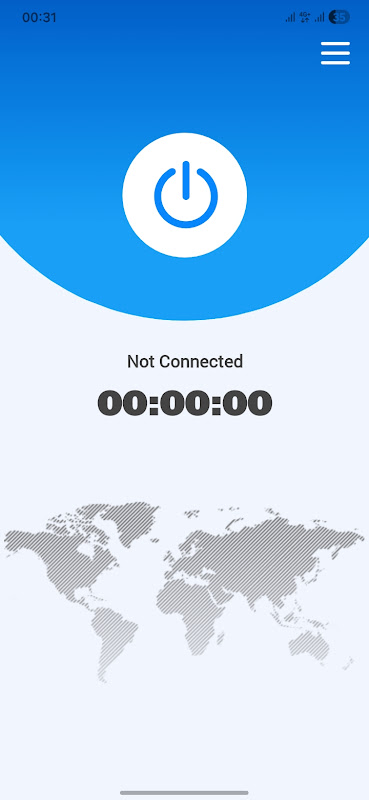
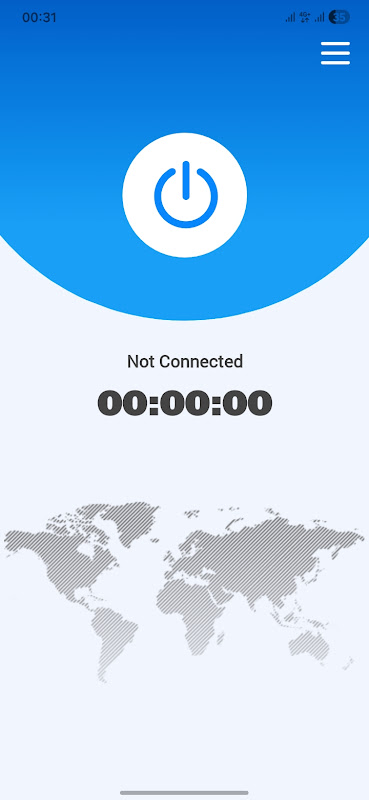
- One-Tap VPN Connection: Soren VPN’s core strength is simplicity. The app interface focuses on a single connect button, allowing users to enable or disable the VPN in seconds. This approach works well for users who are new to VPNs and don’t want to manage technical settings.
- Encrypted Internet Traffic: Once connected, the app creates an encrypted tunnel between your Android device and the VPN endpoint. This helps protect your data from interception on unsecured networks, such as cafés, hotels, or airports.
- IP Address Masking: Soren VPN hides your real IP address from websites you visit, replacing it with one assigned by the VPN. This provides a basic level of privacy and reduces simple tracking tied to IP location.
- Works on Wi-Fi and Mobile Data: The VPN functions across both Wi-Fi and cellular connections. This means your traffic remains protected even when switching networks, as long as the VPN stays connected.
- Lightweight and Minimal Permissions: Compared to feature-heavy VPN apps, Soren VPN is relatively lightweight. It relies on Android’s built-in VPNService, which means it does not require root access or complex permissions beyond what is necessary to establish a VPN connection.
- Free Access Model: Soren VPN is offered as a free VPN app. Free access often means trade-offs, such as ads or limited transparency around infrastructure, so users should treat it as a basic privacy tool rather than a high-security solution.
How to Use Soren VPN App for Beginners
Using Soren VPN on your Android device is designed to be simple and straightforward, even if it’s your first time with a VPN. Because the app is built on Android’s native VPNService framework, it integrates directly with the system and lets you connect with minimal steps.
Here’s a clear, beginner-friendly guide:
- Install and Open the App: First, download Soren VPN from APKYiYi and open it. The interface focuses on simplicity, so you won’t need complicated menus or settings to start.
- Tap the Connect Button: On the main screen, tap the large Connect button. This tells Android that you want the app to create a VPN connection using the system’s built-in VPN service.
- Grant the VPN Permission: Android will show a system prompt asking if you trust the app and want to allow the VPN connection. Tap OK or Allow to proceed, this step is required for any VPN app before it can secure your traffic.
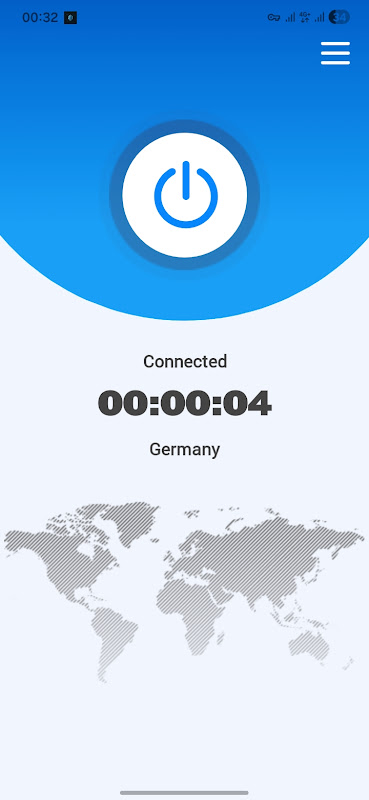
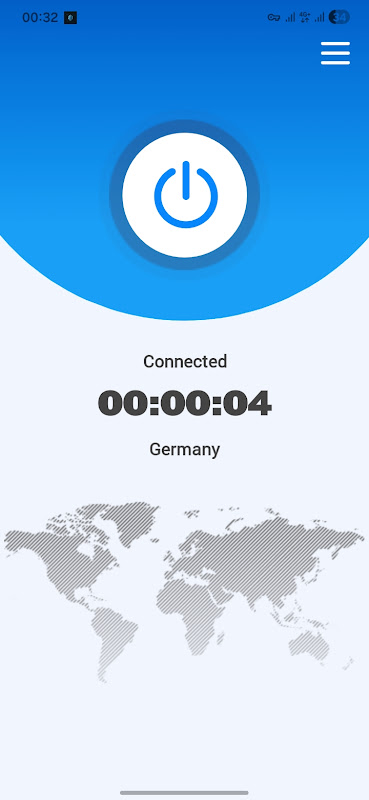
- Verify the VPN Is Active: After permission is granted, Soren VPN will establish a secure connection. You’ll typically see a key icon in your Android status bar, which means your internet traffic is now being routed through the VPN tunnel.
- Disconnect When Done: When you’re finished browsing privately or securing your connection, return to the app and tap the Disconnect button. This stops the VPN service and restores normal network traffic.
Tips for Better Use
- Keep the App Updated: New updates may improve compatibility and connection reliability.
- Check Notification Icons: The key symbol in the status bar confirms an active VPN connection.
- Re-connect After Network Changes: Switching from Wi-Fi to mobile data may require you to reconnect the VPN.
Pros and Cons of Soren VPN
Pros
- Simple and beginner-friendly interface: Soren VPN is easy to use with a one-tap connection, making it approachable for users who are new to VPNs and want basic privacy protection.
- Works on both Wi-Fi and mobile data: The app routes traffic securely regardless of your network type, providing consistent protection across different connection types.
- Lightweight on Android devices: Compared with feature-heavy alternatives, Soren VPN’s design is relatively minimal and relies on Android’s built-in system VPN framework to establish encrypted connections.
Cons
- Limited transparency and privacy disclosures: Unlike leading premium VPNs that publish audited privacy policies and no-logs commitments, free VPN apps like Soren VPN often do not detail deep data handling practices publicly, making privacy assurances less clear.
- Mixed user ratings indicate inconsistent experience: According to recent tracking, Soren VPN has a moderate rating based on a small number of user reviews, suggesting that connection quality and overall experience may vary between users.
- Fewer advanced features than premium services: Unlike top-tier VPN apps that include things like kill switches, split tunneling, wide server networks, or no-logs audits, basic free VPNs focus on simple encryption and may lack these enhanced tools.
Conclusion
Soren VPN fills a specific niche: a free, beginner-friendly Android VPN that prioritizes ease of use over advanced controls. For casual browsing and public Wi-Fi protection, it can serve its purpose well. If your goal is simple privacy without configuration headaches, Soren VPN is worth trying. Download Soren VPN to get started safely.
FAQs
1. Does Soren VPN APK encrypt my internet traffic?
Yes, it creates an encrypted tunnel to help protect data in transit, especially on public Wi-Fi.
2. Can I connect with one tap?
Yes, the app focuses on a one-tap connect experience for quick use.
3. Does it work on mobile data and Wi-Fi?
Yes, the VPN covers both cellular networks and Wi-Fi connections.
4. Will Soren VPN APK hide my IP address?
Yes, it replaces your visible IP with one assigned by the VPN server.
5. Is Soren VPN APK free to use?
Yes, it’s offered as a free VPN app, though availability and features may vary by region.
Images