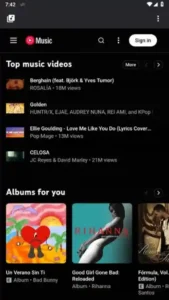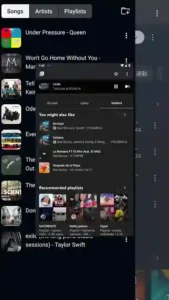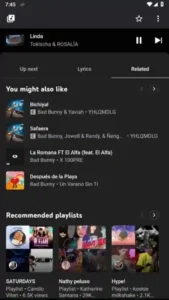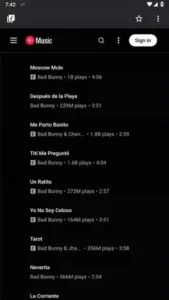
NouTube is an open-source multimedia utility app developed by Nonbili, launching for Android devices in 2025, combining YouTube and YouTube Music into a single, optimized platform. Unlike the official YouTube app, NouTube lets you watch videos and listen to music without ads, without logging in, and supports background playback and bookmark management.
Built on Android’s WebView technology, the same technology that powers the mobile versions of YouTube and YouTube Music, NouTube injects custom code to block ads, supports playlist and watchlist organization, hides short videos for a cleaner feed, and allows live chat while streaming all while ensuring privacy and a lightweight design for your use.
All Features of NouTube APK
- Unified Video – Music Experience: One of NouTube’s core strengths is combining YouTube and YouTube Music within the same interface. You can instantly switch between watching videos and enjoying music without loading separate apps.
- Ad-Free Playback by Default: Unlike the official app where ads are part of the viewing experience, NouTube injects ad-blocking code into the WebView that it uses for content display. This enables smooth viewing and listening without commercial interruptions.
- Background Audio Support: Play music or videos and continue listening while using other apps or with your screen turned off. For users who enjoy multitasking or audio-first listening, this turns NouTube into a flexible media tool.
- No Login Required: No Google account sign-in means privacy-focused usage no tracking of your activity by default, and fast access to content without managing credentials.
- Bookmark & Watchlist Management: Save favorite videos, channels, songs, and playlists in one place. NouTube enables users to organize bookmarks and even sync them across devices in some builds.
- Hide Shorts and Clutter: Short-form vertical content such as Shorts can be hidden for those who prefer long-form browsing experiences.
- Lightweight and Low Resource: Since NouTube wraps mobile web versions of YouTube services, it uses minimal storage and runs smoothly on a wide range of Android devices.
- Live Chat & Original Audio: While watching livestreams, users can interact via chat, and audio quality is kept original, so you hear music as intended.
How does NouTube APK block ads and protect your privacy?
- Improved Viewing Flow: One of the clearest advantages of NouTube’s built-in ad-blocking feature is a smoother, uninterrupted viewing experience. By removing pre-roll and mid-video ads that often disrupt content, users can focus fully on the video or music they chose to watch without frequent pauses or distractions. This results in a more enjoyable and immersive viewing session.
- Better Performance and Resource Use: Blocking ads can also make NouTube feel faster and more efficient. Since ads and banners don’t have to load, the app can use less data and may run more smoothly on devices with limited memory or slower connections. This efficiency benefit is part of what makes NouTube a lightweight alternative to traditional streaming apps.
- Enhanced Focus and Comfort: Ads can break concentration and detract from the core content. NouTube’s ad-blocking helps keep the interface clean and free of promotional clutter, allowing users to enjoy videos and music without unnecessary interruptions. This cleaner layout can also help improve clarity and reduce eye strain over longer watch sessions.
Advantages of using the NouTube APK application on Android devices (Samsung A54)
- I installed NouTube on my Samsung A54 running Android 13, and the first thing I noticed was how easy it was to control the app. Navigating between YouTube videos and music felt smooth, with clear buttons and responsive scrolling. Tapping a video loaded quickly, and the playback controls were intuitive play, pause, skip, and background audio all worked without delay.
- Using NouTube felt lighter than the regular YouTube app. Playing a playlist while I switched to other apps didn’t slow down the phone, and background audio continued without cutting out. I could save videos and music to my watchlist with a single tap, and it was easy to organize these items later.
- The user interface on the Samsung A54 looked clean and straightforward. Icons were easy to read, menus didn’t feel crowded, and the absence of ads made the whole experience feel calmer. Live chat in livestreams worked well, and hiding Shorts gave me a feed focused on the videos I cared about. Overall, using NouTube on this Android device made watching and listening feel more direct and less interrupted than I expected.
Disadvantages of NouTube APK
- Not on Google Play Store: Because NouTube isn’t available in the official store, I had to find it from third-party sites, which means being careful about where I download it.
- Limited Official Support: Updates and fixes depend on community releases, so features can vary by version and device.
- Occasional Feature Gaps: Some advanced options from official YouTube aren’t present in NouTube.
- Mixed Performance on Certain Devices: While generally smooth, the experience can differ depending on Android version or hardware, especially on older phones.
Tips for Using NouTube APK Effectively
- Use Background Playback for Audio-Only Listening: If you’re listening to music or long videos, start playback and then switch to another app NouTube will continue audio in the background. This is especially useful when multitasking or when the screen is off.
- Organize with Bookmarks and Watchlists: Create custom bookmarks for channels, playlists, or favorite videos. For example, if you follow several educational channels, use bookmarks to group them, so you can quickly access content without searching every time.
- Hide Shorts for a Cleaner Feed: In the settings, enable the option to hide Shorts. This keeps your main feed focused on regular videos and music, making browsing less cluttered and more relevant to what you want to watch.
- Take Advantage of Live Chat in Streams: When watching live events, make sure your internet connection is stable so the live chat updates smoothly. Tap the chat icon to interact with other viewers without interrupting playback.
- Export and Backup Bookmarks: If you switch devices often, use the bookmark export feature. Export your saved links as a file so you can import them later on another phone without losing your organized playlists.
Conclusion
If you want a cleaner, unified multimedia experience on your Android device, NouTube delivers a polished combination of video and music streaming features with fewer distractions. Its background playback, bookmark organization, and ad-free design make it a strong choice for users seeking efficient content access. Download NouTube now to start enjoying YouTube and YouTube Music together with none of the interruptions.
FAQs
1 .Does NouTube APK support YouTube Music content?
Yes, NouTube includes YouTube Music alongside regular YouTube videos in the same app.
2. Can NouTube APK hide YouTube Shorts?
Yes, you can hide Shorts from the feed to focus on long-form videos and music.
3. Does NouTube APK save watch history locally?
Yes, watch history is stored locally on the device instead of requiring an online account.
4. Can I export my bookmarks from NouTube APK?
Yes, recent versions allow you to export bookmarks so you can back them up or move them to another device.
5. Does NouTube APK support live stream chat?
Yes, live chat is available during livestreams and works directly inside the app.