Geometry Dash
RobTop Games
Jan 19, 2026
160.60 MB
2.208
Android 5.0+
20000+
Description
Introducing the game Geometry Dash APK
Geometry Dash is one of the most popular rhythm-based platform games on mobile devices. Developed by RobTop Games, this energetic arcade experience combines music with precise platforming skills to create a challenge that’s easy to learn but incredibly difficult to master. With its signature one-touch controls and vibrant soundtrack, the game has become a fan favorite of the action platformer genre worldwide, boasting millions of downloads and a passionate global community. Whether you’re a beginner or a seasoned rhythm gamer, Geometry Dash offers an exciting experience as you dash through complex levels, timing jumps, flips, and gravity shifts to the rhythm. This article will delve into all the game’s key features, why players love it, and how you can download the latest version today.
All Features in Geometry Dash APK
1. Rhythm-Based Gameplay
Essentially, Geometry Dash is a rhythm-based platformer where each level is synchronized to upbeat music. You control a geometric icon, usually a cube, that automatically moves forward while you tap the screen to jump or change direction to avoid obstacles. Your success depends on timing and memorization, making each playthrough feel like learning a new piece of music.
2. Varied Game Modes
The game isn’t just about jumping. Over time, RobTop Games has added multiple movement styles:
- Cube: Standard jump mechanic.
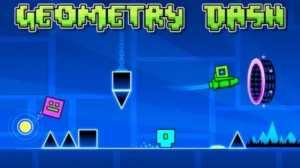
- Ship: Fly through tight spaces.
- Ball: Flip gravity to navigate.
- Wave & UFO: Burst through rhythmic tunnels.
3. Challenging Levels & Difficulty Scaling
Levels range from beginner-friendly to insane and demon-level challenges that will push even experienced players to their limits. Some levels also contain secret collectibles and coins that unlock additional rewards, adding depth and replay value.
4. Practice Mode
New players don’t have to tackle full-length levels blind. Practice Mode lets you place checkpoints so you can learn tough sections without restarting from the beginning every time. This is key for mastering the game’s rhythm and obstacle timing.
5. Editor & Community Levels
One of the biggest aspects of Geometry Dash is its level editor. Players can design and share custom levels, complete with their own music and obstacles. The community has created millions of custom courses, offering endless content beyond the official levels.
6. Achievements & Customization
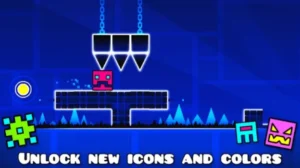
As you progress, you unlock icons, colors, trails and other cosmetic elements. While these don’t affect gameplay, they let you personalize your experience and show off your achievements to others.
What’s in Geometry Dash APK 2.208, the latest update?
The most recent update focuses on improvements players have been asking for:
- More precise gameplay options allow for a choice of how input time is recorded.
- New online leaderboards for Moons, Demon levels, and user coins.
- The new level challenges in Gauntlets have been carefully selected.
- Enhanced editor trace system for creators.
- Improved networking and bug fixes.
Obstacle Pattern Recognition in Geometry Dash APK
Recognizing common obstacle patterns helps you predict upcoming challenges and improves consistency, especially in fast or rhythm-intense sections.
Rhythm-Driven Obstacle Patterns
- Beat-Synced Obstacles: Many of the obstacles are synchronized with the rhythm of the music, helping to increase timing accuracy.
- Repeating Sequences: Levels often repeat similar block arrangements (like spike clusters after gravity changes), so noticing these sequences lowers panic during play.
Common Hazard Types & How They Appear
- Spike Traps: Typically, when performing somersaults or gravity flips, the player will prepare to touch the ground before actually landing.
- Jump Pads & Orbs: Positioned at regular rhythm intervals, letting you time high or long jumps predictably.
- Gravity Portals: Often appearing before alternating hazard patterns where direction changes, observe how the flow of the preceding segment unfolds.
Mini-Pattern Strategies (Practical Examples)
- Spike Column Sequences: When spikes appear in a vertical line, tap early and hold slightly to clear them smoothly.
- Mirror/Ghost Sections: These exercises typically involve repeatedly performing small, quick left-right strokes to help you “thread the needle.”
- Wave-Rhythm Sync: During wave sections, synchronize your taps with the rhythm for more precise timing, avoiding abrupt changes in pitch.
Pros and Cons of Geometry Dash APK in the Latest Update (2.208)
As Geometry Dash continues evolving, players have shared a mix of excitement and constructive feedback about the latest improvements. Here’s a balanced look at what’s working well and what areas are sparking mixed reactions after the most recent update.
1. Pros
- Precision and Control Enhancements: The new gameplay options like “Click Between / On Steps” give players more precise input timing, which makes handling tricky rhythms and fast transitions feel smoother and fairer. This is especially helpful in higher-difficulty segments where accuracy matters most.
- Expanded Leaderboards & Competitive Depth: With the addition of leaderboards for features like the Moon, Demon levels, and user coins, Geometry Dash now offers more ways for players to track and compare progress globally, making the skill-based gameplay even more engaging.
- Quality-of-Life Improvements: Small but impactful QoL fixes (like networking stability, bug fixes, and editor trace improvements) help polish the overall experience, including smoother level creation and fewer technical interruptions.
- New Challenges (Gauntlets): The addition of new Gauntlets introduces curated difficulty challenges that help players test their skills across distinct curated sets of levels, adding replay vibe and structured progression.
2. Cons
- Higher Skill Demand at Endgame: While core gameplay improvements aid precision, the game’s difficulty still scales steeply in harder stages, which can be discouraging for mid-level players attempting advanced content without practice mode checkpoints or guides. (Rooted in gameplay experience trends and community commentary)
- Interface Complexity for Beginners: Some of the new interface options (like advanced editor tools or timing toggles) are powerful but may feel overwhelming for new players just getting into custom level creation compared to simpler versions of the game. (Derived from update context and observed community feedback)
Tips for Playing Geometry Dash APK
Mastering Geometry Dash requires practice, patience, and the right approach. Advice ranging from beginner-friendly fundamentals to advanced techniques will make your gaming experience smoother and more enjoyable.
1. Use Practice Mode Strategically
- The Practice Mode is one of the most powerful tools in Geometry Dash. Instead of jumping straight into normal mode, use Practice to break a level into smaller parts and refine your moves before attempting a full run. Place checkpoints at tricky transitions (like a sudden gravity flip or a fast vehicle section) so you can repeatedly practice just that section without starting from the beginning.
- Example: If you struggle with a tight ship section after a speed portal, place a checkpoint right before it and repeat that segment until you can consistently pass it, then attempt the full level.
2.Follow the Rhythm
- Geometry Dash levels are synced to music, so the soundtrack isn’t just background—it’s a guide. Pay attention to beats and sound cues to time your jumps and gravity shifts more accurately. This helps with timing in sections where visual cues alone aren’t enough.
- Example: In levels like Stereo Madness, watch for musical beats to help you time wave or jump sections that line up rhythmically with the soundtrack.
2. Progress Through Difficulty Gradually
- It’s tempting to try Extreme Demon levels early, but improving steadily is more effective. Start with levels slightly above your comfort zone before moving to much harder ones. Playing levels that are just a bit more challenging helps you build muscle memory and timing skills without frustration.
- Example: If Insane levels are consistent for you, try a few Hard-Demon user levels before tackling Extreme Demon tiers.
3. Break Down Difficult Sections
- If a certain part of a level keeps defeating you, isolate it. Some players create copies of parts of levels (or use the editor and Practice Mode) to focus on these segments until they can reliably navigate them.
- Example: When a double-gravity transition near the end of a level repeatedly causes failure, practice just that section in isolation until you can execute it without errors.
4. Stay Calm and Patient
- Frustration often leads to mistakes. Approach challenging runs with a calm mindset—pausing or taking short breaks can help reset focus. Many experienced players recommend practicing only when relaxed and avoiding long sessions when tired.
- Example: If you’re stuck on a loop of failures, step away for a few minutes and return fresh rather than forcing continuous runs.
Conclusion
Geometry Dash remains a standout title in mobile gaming thanks to its addictive mix of rhythm, platforming, and community creativity. Whether you’re racing through official levels, testing yourself on custom creations, or mastering new features in the latest version, there’s always a new challenge waiting. Ready to test your reflexes and rhythm skills? Download Geometry Dash now and experience the thrill of one of the most engaging rhythm platformers on Android!
FAQs
1. Does Geometry Dash support controller input?
Yes, certain versions on PC support external controllers, offering more precise input for some players.
2. Can I customize the game’s visual effects?
Yes, you can adjust visual settings like effects and detail levels to improve performance on lower-end devices.
3. How do leaderboards work in the latest update?
The newest version adds expanded leaderboards for Moons, Demon levels, and user coins, allowing players to compare progress globally.
4. Can I create platformer-style levels?
Yes, the editor now includes tools for platformer modes, allowing free-movement levels instead of traditional auto-scroll.
5. Is there cloud save support?
Yes, you can save and load progress through your Geometry Dash account, keeping your data synced across devices.
Images